
Create an 18 card Spooky themed game.
Finalists due Hosted by Dustin Hendrickson
Board Game Design Tools · Online Playtesting
Design your components, playtest them on a full virtual tabletop, and learn from every session, all in your browser. When a card needs fixing mid-game, change it once and every copy updates. Your testers join with a room code, and their feedback lands in your project, not in a dozen chat threads.
Free plan. No credit card.
Invite your playtesters. They don't need to install anything or create an account.
 Made by Dustin, board game designer & developer.
Your project, one drag away
Every component and deck in your project sits in the sidebar. Drag one onto the table to place it.
Right-click to edit
Right-click a piece from your project and open Edit Project Component, over the table. Save, apply, and every copy updates.
Draw straight to your hand
Hover a deck and press 1 to 9 to draw that many cards into your private hand.
Host tools on the table
Snap points, zones, markers, text labels and stickers, each on its own key.
A real prototype on a real playtest table. Hover or tap the numbers, or click the screenshot for a closer look.
Every designer knows these. Here is what DDD does about each one.
Edit a component once and Apply to Table updates every copy: on the table, inside decks and stacks, and in players' hands. For a bigger revision, bring in a CSV of your changes and play the next round.
They don't have to. Players join with a room code and a name, in the browser on a laptop, tablet or phone. No download, no account, nothing to buy. Voice chat and private hands are built in.
Players rate fun, difficulty and rule clarity during the game, and every submission is saved with their name. Close the room and the session, its action log and its feedback are logged to your project automatically.
Playtest Analytics shows which cards get drawn and played, how the dice land, and the trends across sessions. Session Replay lets you scrub back to the exact turn that went sideways and see the whole table, hands included.
Components, decks, custom masks, rulebooks and table setups live together in one project. Already built pieces somewhere else? Bring them in from a spreadsheet, a Dextrous file, or The Game Crafter (Pro).
Turn your components into print-at-home sheets with the Print & Play Maker (Pro). Find publishers looking for games like yours, and attach a playable table setup to your pitch so they can try it in a click.
Free forever for 2 projects and 6 players a room. Pro unlocks unlimited projects, 10-player rooms, Playtest Analytics, Session Replay, the Print & Play Maker, persistent rooms and the public lobby.
Compare plansWhat's New
Build at the table
You don't have to fill in a form for every piece before anyone can play. Start with your art and an empty table, and shape the game where you can see it working.
As the host, drag an image file from your computer onto the table. Name it, choose Card, Token, Board, Dice, Coin or Bag, and it becomes a component in your project, placed where you dropped it.
How it worksNew Component from Image
Component Name
treasure card
Component Type
Create & Edit Component
Edit Project Component opens in a window over the table. Set the back, the size, the shape and the rest, then save. You never leave the room.
How it worksPull a plain card, token, board or bag from Generic Objects, size and color it on the table, then right-click it and save it as a new Project Component.
How it worksAs the host, place snap points, draw zones and turn on grids right on the table, so pieces land where they belong for everyone.
How it worksSave the whole arrangement as a Saved Table Setup. Load it to start the next playtest, or switch setups in the middle of a session.
How it worksBuilding a big set? Forms are there when you want them: the Component Wizard makes a whole deck from a folder of card images with Bulk Cards, and CSV, JSON, Dextrous, Tabletop Simulator and The Game Crafter imports bring in work you already have.
ImportsChange it mid-game
Every piece on the table is a live copy of a component in your project. A tester spots a problem, you fix the component from inside the room, and one click puts the fix in front of everyone.
1Right-click the piece and choose Edit Project Component…
2Change the art or the details and click Save Project Component
3When the room asks Apply to Table?, click Apply
Every copy updates, for everyone
4Keep playing. Nobody re-spawns anything or leaves the room.
Two dimensions, on purpose
A board game is mostly flat things on a table. Keeping the table 2D is a choice, and it is why your group can join from more devices and spend the session on your game instead of the controls.
Laptop & desktop
Tablet
Phone
For your game
Choose your kind of game to find the tools for your next playtest.
Test how your card pool feels in sealed play. Choose the cards per pack, rarity tiers, and odds, then let players open randomized packs at the table.
Let players build their own decks and test different combinations. They can save a deck to their computer and bring it back to rooms where you allow personal decks.
Build different decks from the same card library and group tokens into stacks. Update a card once in your library and every deck using it gets the change.
A long game can wait until next week. Players can save the table, including every player's hand, to a sealed file and resume from the same setup when the group returns.
Lay out your game once and reload it for the next playtest. Pieces, zones, snap points, and room settings come back together. Pro adds more setups and public sharing.
Watch a recorded session back to understand a turn you missed or revisit a tricky moment. Follow moves and draws on the timeline, then save a moment as a setup to test it again.
Give pieces a clear place to land on your board. Snap points can accept specific pieces, rotate them, or flip them as they arrive, so players spend less time lining things up.
Make spaces for hands, discard piles, hidden information, or neatly arranged pieces. Set how each area behaves without writing code.
Set real dimensions for your cards, boards, and tokens so you can check how everything fits. Use built-in shapes or draw your own outline in the Mask Editor.
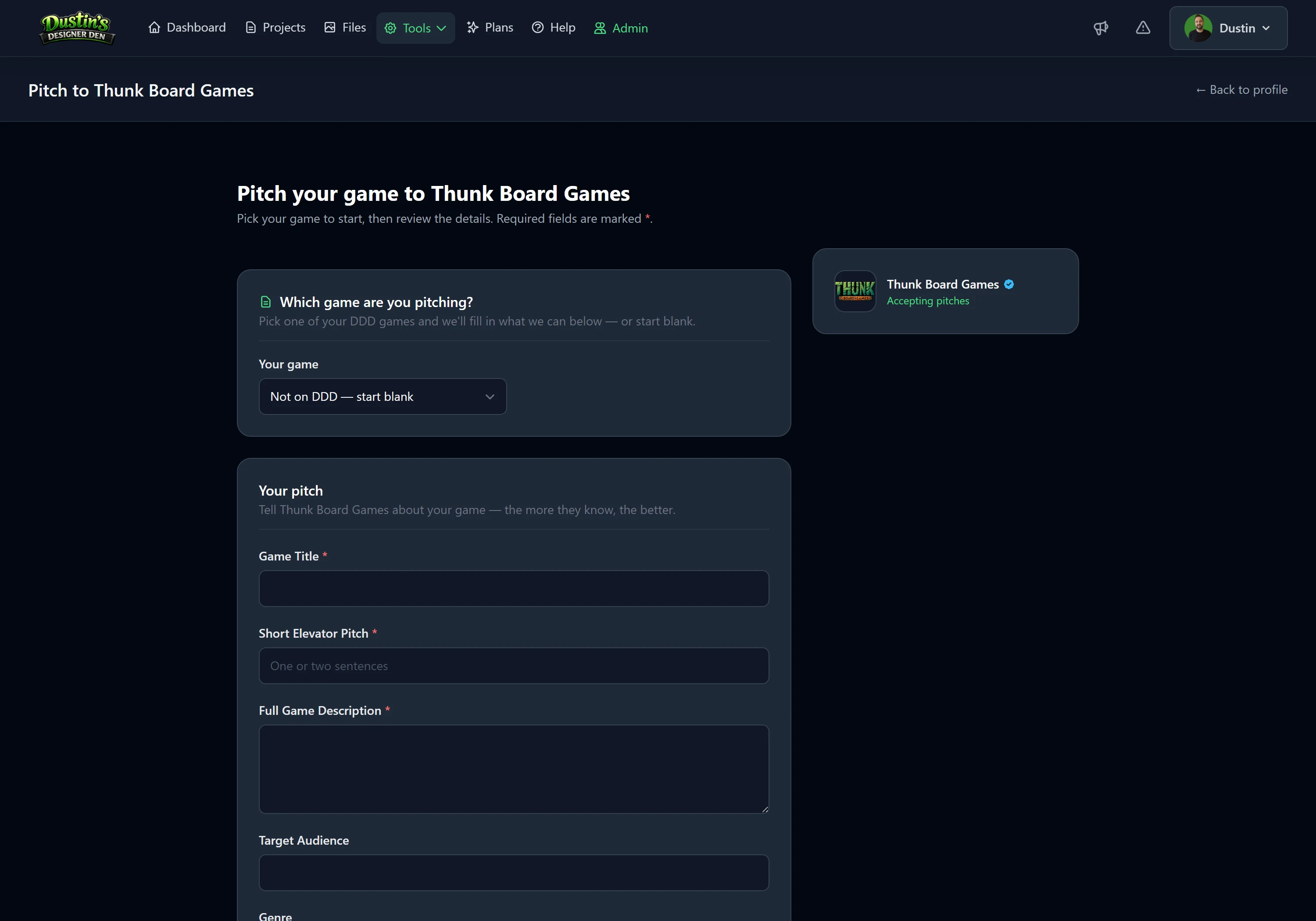
Send your pitch to a publisher accepting submissions and attach a playable setup. They can try it in a private room while your project stays private. Track replies and status in My Pitches.
Take your prototype to an in-person playtest. Make a printable PDF at the right sizes, with cut lines and bleed marks. Save the layout so you can generate a fresh copy after changes.
Put a playable version of your game in front of community testers and judges. Get feedback through the competition, and display any awards on your designer profile.
Features
From the first deal to the publisher pitch. Pick one to see how it works; Pro tools are marked.

Choose the cards per pack, rarity tiers and odds, then let players open randomized packs at the table.
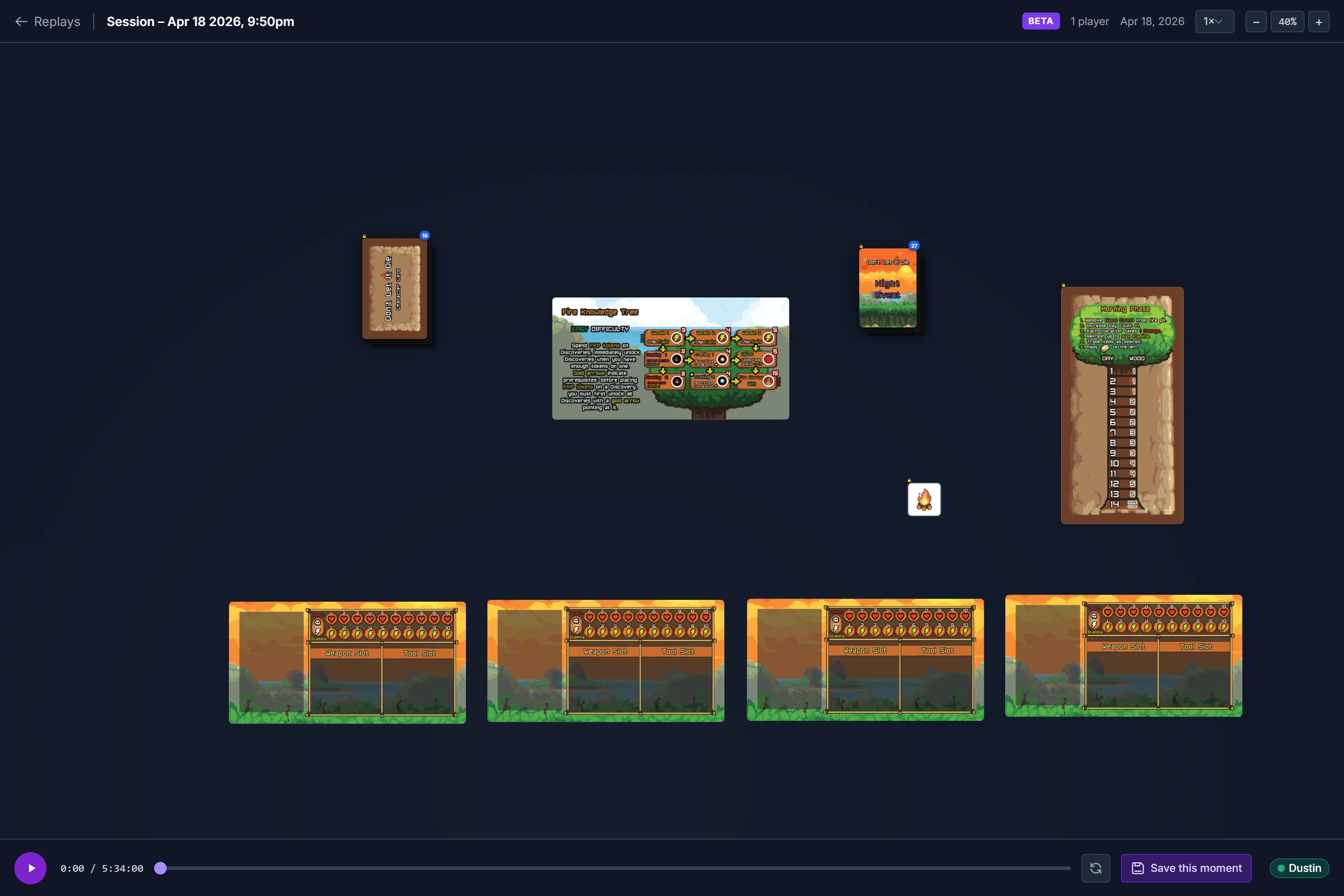
Watch a recorded session back, follow moves and draws on the timeline, and save a moment as a setup.

Circle a card that needs work, mark damage with a sticker, or write a note right on the table.

Keep hidden cards private, deal opening hands to the whole table, and draw, shuffle and play as you would in person.
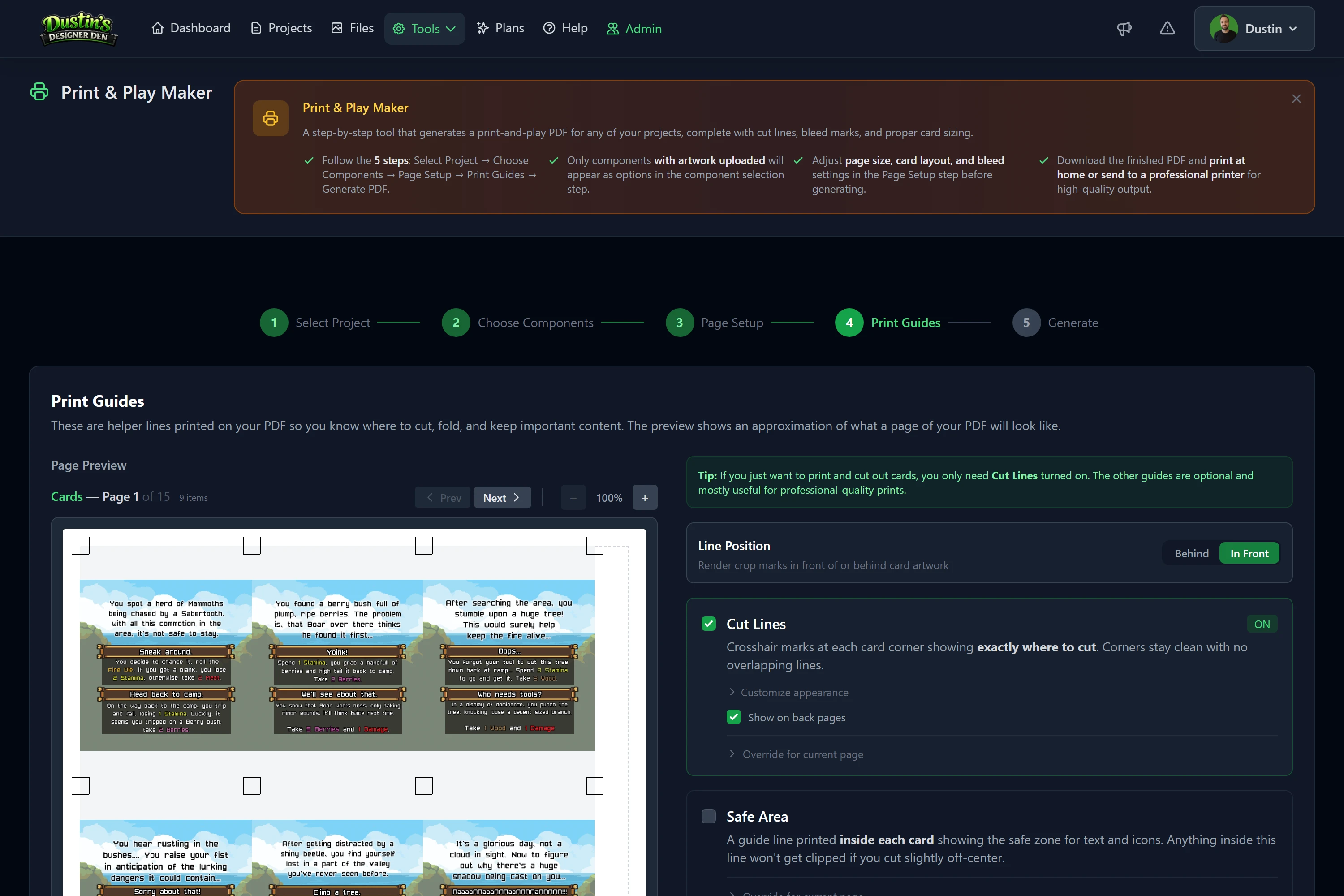
A printable PDF at the right sizes, with cut lines and bleed. Save the layout and print a fresh copy after changes.
Pitch a publisher accepting submissions and attach a playable setup they can try in a private room.
Components, details, sessions and exports in one place for each game.
Add your own artwork to cards, tokens, boards and more, or a whole deck at once.
A hex tile, a round token, or an outline of your own. Edit it once and every piece using it updates.
CSV, JSON and Dextrous; Tabletop Simulator and The Game Crafter on Pro.
Check the odds of a dice roll or a card draw before your next test.
Custom dice faces, spinners, shared counters and timers.
Undo the last table action, or redo it if you change your mind.
Bring in a PDF or write one in Markdown. Players read and search it without leaving the table.
Talk through turns at the table. Included on every plan.
Draw, shuffle and move with keys you choose, kept across rooms.
Write down a design change without stopping the game, and check it off later.
Ask players the questions that matter to your game and review their answers with the session.
Publish a setup anyone can open without an account, or list a live room for players to join.
Post a time or a weekly series. Testers book a seat or join the waitlist, and get reminders and the join link by email.
Let people watch your live table without taking a seat, for streams and convention demo screens.
A public home for each game: its art and story, a Play button, live rooms, and upcoming playtests.
Build different decks from one card library and group tokens into stacks.
Enter a playable version of your game for community testers and judges.
Invite your group, update your prototype, and use each session to plan the next test.
Send a room code. Your players join in their browser, including on phones and tablets. You sign in to host; they can come straight to the game. Planning ahead? Schedule the playtest and let testers book a seat, with reminders by email (Pro).
A card is too strong? Edit it from the table and sync the copies already in play. For a bigger revision, bring in a CSV of your changes and try another round.
Check the draws, dice results, and player feedback after the game. Designer Insights highlights patterns worth investigating. Turn on recording to replay a moment you want to understand better.
A quick look at the steps from prototype to next revision.
| When you want to... | In DDD, you can... |
|---|---|
| Get a prototype ready | Add artwork and built-in pieces, organize decks, and check your dice and card odds. |
| Start another playtest | Load your saved table and send players a room code. |
| Test a revision | Edit your components and sync the changes onto the table. |
| Decide what to change next | Review player feedback, analytics, and recorded sessions with Pro. |
| Share beyond your group | Attach a playable setup to a publisher pitch or competition entry, or make a print-and-play PDF with Pro. |
I make board games too. I built Dustin's Designer Den so I could change a card, try another round, and keep track of what still needed work. I test my own games here every week, and I want it to be useful at your table too.
Board game designer, self-publisher, and the developer behind DDD.
Tell me what would make your next playtest easier.
Tested here
My co-op survival game for 1 to 4 players. Try a table and see how it feels to play here.
Put out a brief for the game your catalog is missing, or open your inbox to pitches. Play the prototypes and meet the designers behind them.
Set a theme, audience, or design challenge and invite designers to make something new for it. Host under your publisher name, choose judges and scoring criteria, and play the entries yourself.
Hosting requires Pro. Browsing entries and contacting opted-in designers does not.
Explore publisher competitionsSet up your publisher profile and choose the questions designers answer. Review pitches in one inbox and track which ones you are considering, accepting, or passing on.
Open an attached setup in a private room with the game already laid out. Your team can try the prototype before asking the designer to send a physical copy.
Ask a question or send feedback without losing the context of the submission. Every reply stays attached to the pitch, so you can pick up the conversation later.
Designing a game? Sending a pitch is free. Find a publisher accepting submissions and pitch straight from your project.
Build your prototype and play with up to six players on Free. Choose Pro for larger groups, unlimited projects, analytics, replay, and print-and-play tools. No credit card to start; see the plans below for Pro availability.
Pro Subscriptions Coming Soon
Pro features are currently available exclusively to beta testers. Sign up and apply for beta access to unlock them early.
Everything you need to start designing and playtesting your first game.
 Dextrous import
Unlimited projects, deeper analytics, and priority support.
 Tabletop Simulator import
Mods become components & a table setup
$6.25 / month billed annually
Best value — same Pro features, two months free.
Tabletop Simulator import
Mods become components & a table setup
Need room for more artwork? Add storage to Free or Pro, billed separately. You can combine storage add-ons and cancel them anytime.
5 GB of extra space for artwork, exports, and print files, on top of whatever your plan includes.
10 GB of extra space for artwork, exports, and print files, on top of whatever your plan includes.
20 GB of extra space for artwork, exports, and print files, on top of whatever your plan includes.
Jump in
Enter the room code your host sent you, or browse public setups and live rooms below. You can join as a player without creating an account.
Enter the room code from the host
No games are being shared right now.
Shared games and live public rooms appear here as soon as a designer posts one. Check back soon.
I design, build, and maintain DDD myself. I've spent over 20 years working in software, including commercial video games, and I design and self-publish board games too.
I use AI tools to help with development and drafts of some help articles and site copy. Earlier drafts included help from Claude Sonnet by Anthropic. I review and revise that content as the site grows.
AI is part of my development workflow. DDD does not send your projects, game designs, or stored data to AI models. AI is not a feature of the app.