Dice
Dice are the most common randomizer in tabletop games, and they work just like the real thing: drop one on the table and roll it. Every roll is animated, shown to the whole table, and written to the action log, so results are always shared.
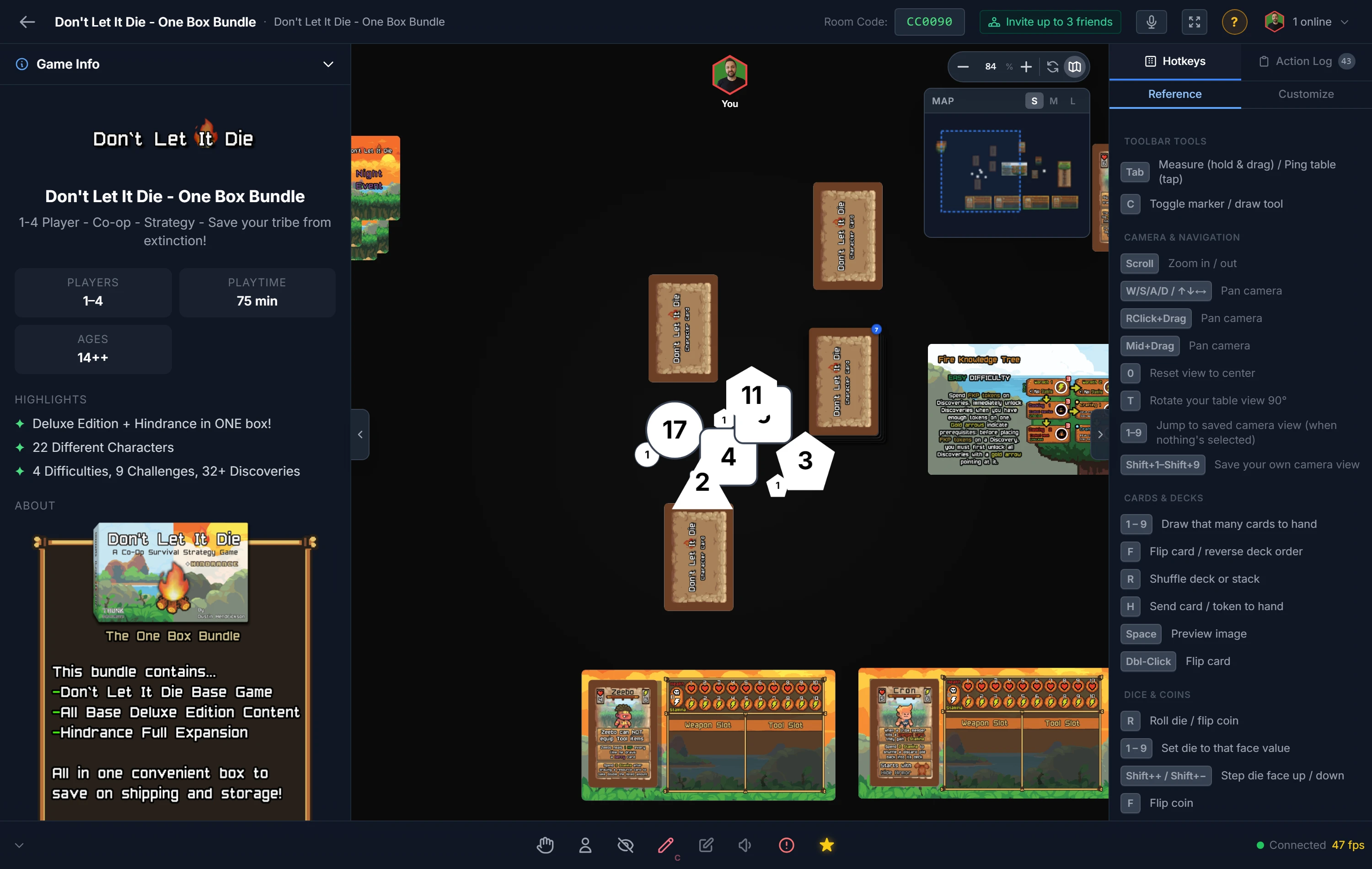
Rolling
Select a die and press R, or double-click it. The die tumbles and lands on a result that everyone sees.
To roll several at once, select multiple dice first, then press R (or right-click and choose Roll All). Each is rolled independently and logged, perfect for a fistful of damage dice.
The Dice / RNG Sidebar
Each die in the Dice / RNG section of the sidebar's Generic tab is drawn in the shape it has on the table, so you can tell them apart at a glance. Click one to place it, or drag it straight onto the table.
- Standard: D4, D6, D8, D10, D12 and D20.
- Special: a D10 (0-9) numbered 0 to 9, the D% percentile die numbered 00 to 90, a D2 and a D3.
- Custom DX: a numbered die with any number of sides from 2 to 100. The spawn window asks how many.
- Blank DX: a die whose faces you name, such as Sun, Rain, Snow and Wind. See Blank DX below.
- DnD set: the seven dice of a tabletop RPG set (D4, D6, D8, D10 (0-9), D%, D12 and D20), placed side by side in one color and already selected, so you can move or roll them together straight away.
Custom DX, Blank DX and the DnD set are click-only, because each asks a question before it is placed.
Percentile Rolls (D100)
Roll a D% and a D10 (0-9) together to roll a D100. Select both (the DnD set already includes them), then roll: each die shows its own face, and the room also announces and logs the total. The D% gives the tens and the D10 the ones, so 40 and 7 make 47, and 00 and 0 make 100.
Setting a Value by Hand
Sometimes you need a die to show a specific face rather than a random one, for example to set up a starting state.
- Set a face by pressing a number key,
1through9. On a D10 (0-9) or a D%, the key picks the face that prints it:5shows 5, or 50 on the D%. - Choose a face from the right-click menu under Set Face, which lists each face by what it prints. A die with more than 20 sides gives you a box to type the face number instead.
- Step a value up or down one face at a time from the right-click menu, or with
Shift++andShift+-.
Blank DX
A Blank DX is a die whose faces show names or pictures instead of numbers. Choose Blank DX in the sidebar, pick how many sides it has (2 to 100), and give each face a name, a picture (the image button beside it opens your files), or both. A face with a picture shows the picture; a face without one shows its name. Choose its colors, then Save and place adds it to your project's components and puts it on the table, so it is there for every playtest. You can change any face later in the component editor.
Custom Dice
Need symbols instead of pips, an action die, a resource die, a custom d6 with icons? Build it as a Project Component, where you can upload an image for each face and name each one. See Component Types.
Tip
Want to know your odds before you roll? The Probability Calculators work out dice-pool results, including the D10 (0-9) and the D%, so you can balance a mechanic before the table ever sees it.
Related: Coins · Spinners · Probability Calculators